Thank You To IClarifield
Thanks to them for helping me out with information and pictures.
Vist Them Great Web Site
http://www.iclarified.com/finder/index.php
Thanks to them for helping me out with information and pictures.
Vist Them Great Web Site
http://www.iclarified.com/finder/index.php
How to Find the IP Address of Your iPhonets a pretty simple procedure to find the IP Address of your iPhone but you will need to do this anytime you want to SSH into your phone. Follow the instructions below to get started.
Step One
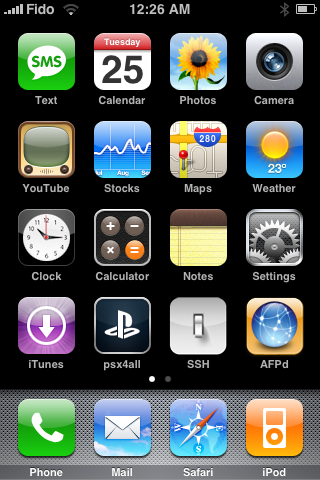
Press to select Settings from your SpringBoard
Step Two
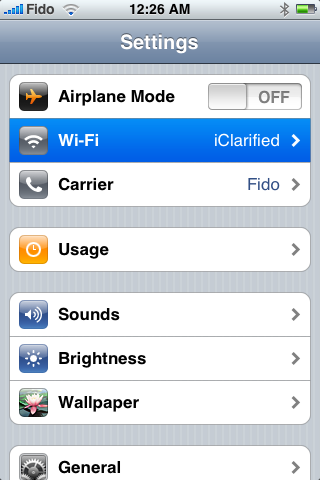
Press to select Wi-Fi from the Settings menu.
Step Three
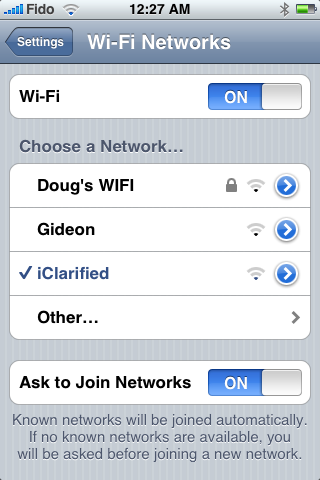
Press to select your network if it isn't already selected. Then next to your network name press the blue circle with the arrow in it.
Step Four
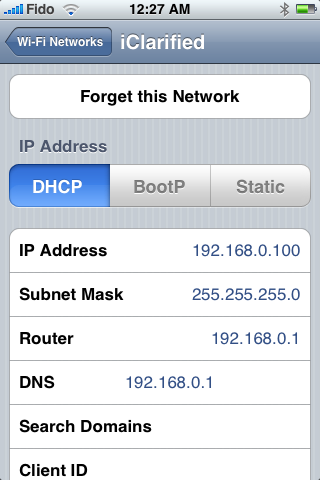
You will now be displayed your iPhone's IP Address!